Specialized in the sale of robotic products! educational robots, toy robots, connected objects
- Home > News > Educational robots > Educational robots 2026: which robot to choose for your classroom or school?
Educational robots 2026: which robot to choose for your classroom or school?
Educational robots
Educational robotics has firmly established itself in schools. In 2026, the offer is broader than ever: from screen-free robots for the youngest learners to AI-enabled platforms for secondary school, there is a solution for every level, every use case, and every school context. But that same richness can make the choice feel overwhelming.
This guide is written for teachers and school teams looking to make smart purchasing decisions — not necessarily buying the most expensive or most talked-about robot, but the one that genuinely fits their students' level and their teaching objectives.
Why educational robotics still matters in 2026
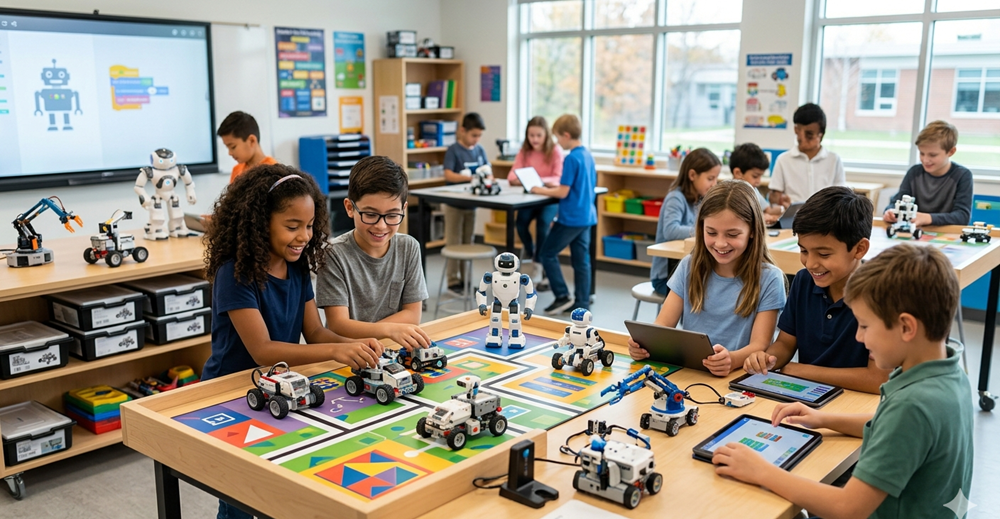
The topic might seem well-trodden, but the offer has matured considerably. Educational robots are no longer demonstration gadgets — they have become genuine pedagogical tools integrated into STEM progressions, maths, technology and even science curricula.
What robotics concretely develops in students is logical and sequential thinking, the ability to break down a problem, collaboration and resilience in the face of errors. It's not the robot that teaches — it's the activity around the robot that creates learning. That's an important nuance when choosing a model: a simple robot used well is worth more than a sophisticated one that sits underused.
In 2026, a deeper trend adds to this: the introduction of AI. Not in an abstract way, but through robots that incorporate sensors, simulation and early links to Python. This is what distinguishes the most recent solutions from the historical references.
4 levels to help you choose the right robot
Rather than listing brands, it's more useful to think in terms of learning progression. Here is the framework we recommend for building a coherent setup, from nursery to sixth form.
Level 1 — Screen-free introduction (nursery, reception, KS1)
At this stage, the goal is not to code. It's to understand what a sequence of instructions means — a movement, a direction, an order. The robot is a physical manipulation tool, not a digital one.
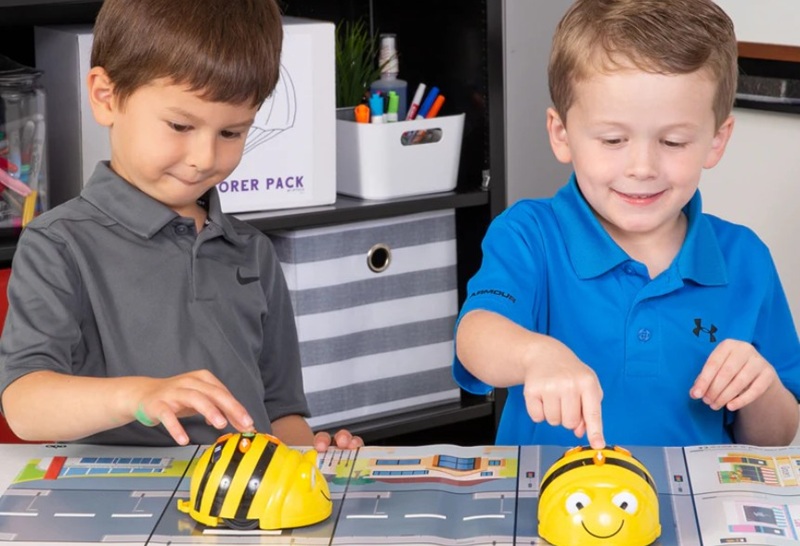
The Bee-Bot is the absolute reference at this level. Simple, robust, requiring no app, it works directly via the buttons on the robot's back. Thousands of classrooms have adopted it, and the available teaching resources are extensive. It's the most logical starting point for a school new to robotics.
The Cubetto takes a different approach, inspired by Montessori pedagogy. Programming is done with physical blocks on a wooden board — no screen, no digital button. It's particularly well suited to very young learners or contexts where tactile manipulation is prioritised before any interface.
Level 2 — Visual programming (KS2, lower secondary)
This is the level where most teachers look to move next: a robot that enables real programming, without requiring knowledge of text-based code. Scratch or block-based languages are the norm here.
The Thymio 2 is probably the most complete robot in this category for classroom use. It offers several programming levels — from pre-programmed behaviours through to Scratch and Python — which means it can be used across multiple school years without needing to replace it. A durable pedagogical investment.
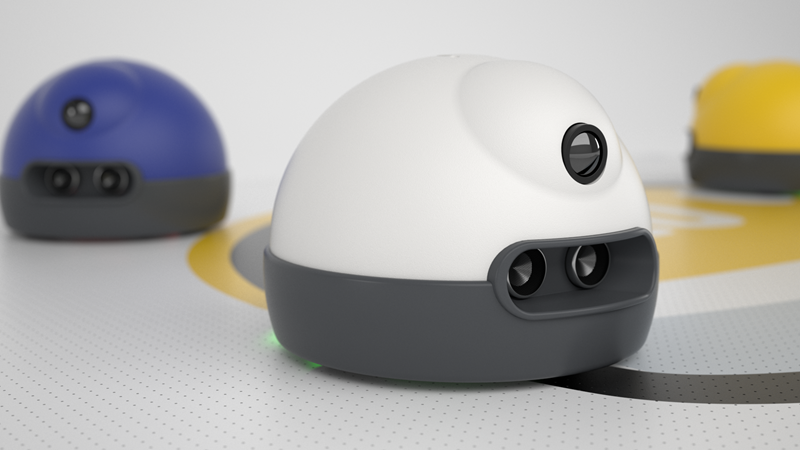
The Ozobot Ari works differently: it reads colour codes drawn on paper or on screen to navigate. This approach is visually engaging and enables very creative activities, including cross-curricular links with art or maths. It's an excellent bridge between the physical and digital worlds.
The Edison V3 deserves a special mention for schools with tight budgets. Compatible with LEGO bricks, programmable across multiple environments, it offers a level of flexibility that's rare at its price point. It's often the choice of teachers who want to go far pedagogically without overspending.
Level 3 — Construction and modular robotics (lower and upper secondary)
At this level, learning happens as much through building as through programming. Students assemble, wire, test and debug. It's a highly effective approach for workshops, robotics clubs and technology lessons in secondary school.
The Makeblock range is a solid reference for this type of use. It offers scalable construction kits compatible with many sensors and actuators, aimed at students who want to genuinely understand what they're building. Very present in school fab labs and workshops.
The Robo Wunderkind takes an even more modular approach: electronic blocks that assemble like cubes. It's a good option for introducing robotics progressively, with extensions that allow adding sensors, wheels or arms depending on the project.
The Petoi Bittle is in a category of its own. This biomimetic robot dog is built and programmed by the students themselves, and its visual appeal immediately generates engagement. It's an excellent choice for advanced workshops or secondary school projects that want something more original than standard robots.
Level 4 — Advanced, AI and structured classroom use (secondary, sixth form, higher education)
At this level, robotics connects to broader educational challenges: artificial intelligence, simulation, real code, and collective project management. Solutions at this level are also the most suitable for bulk purchases to equip an entire class.
Marty The Robot V2 is an excellent option for classes wanting an expressive, programmable robot that's accessible enough for whole-class use. Available in multi-unit packs, it simplifies group activity organisation. Its Scratch and Python compatibility makes it usable across multiple year groups.
The AlphAI range is the most AI-focused solution in our selection. It allows students to understand concretely how AI works — training, recognition, decision-making — without it remaining abstract. It's a direct response to new curricula that include AI as a subject of study in its own right.
Miranda Academy takes a simulation-based approach that complements a physical setup well. Students programme in a virtual environment before transposing to a real robot, enabling practice even without constant access to hardware and multiplying individual learning time.
Finally, LEGO Education SPIKE benefits from strong institutional credibility and a highly developed pedagogical ecosystem. Teacher resources are extensive, progressions are well documented, and the hardware is robust. It's often the first choice for schools wanting a proven, well-supported solution.
Comparison table
| Robot | Level | Recommended age | Language | Ideal use |
|---|---|---|---|---|
| Bee-Bot | Introduction | 3 – 7 years | Screen-free | Nursery, KS1 |
| Cubetto | Introduction | 3 – 6 years | Tangible blocks | Nursery, Montessori approach |
| Ozobot Ari | Visual programming | 6 – 12 years | Colour codes, Scratch | KS2, creative activities |
| Edison V3 | Visual programming | 7 – 14 years | Scratch, Python | KS2, secondary, budget-conscious |
| Makeblock | Construction | 10 – 16 years | Scratch, Python | Workshops, secondary technology |
| Robo Wunderkind | Construction | 8 – 14 years | Blocks, Scratch | Modular workshops |
| Petoi Bittle | Advanced construction | 12 years and up | Arduino, Python | Robotics clubs, sixth form |
| Marty V2 | Advanced / classroom | 10 years and up | Scratch, Python | Whole class, secondary |
| AlphAI | AI | 12 years and up | Python, AI | Sixth form, AI introduction |
| Miranda Academy | Advanced / simulation | 10 years and up | Scratch, Python | Classroom, virtual simulation |
| LEGO Education SPIKE | Advanced / classroom | 8 years and up | Scratch, Python | All levels, institutional use |
Recommendations by teacher profile
You're equipping a primary school for the first time
Start with Bee-Bot for the youngest year groups. It's the most immediately usable solution, requiring no heavy training and supported by a wealth of freely available teaching resources. For classes that are ready to progress, the Edison V3 is an excellent next step at a reasonable cost.
You teach technology or computing at secondary school
The Ozobot Ari and Marty V2 make an interesting pairing: the first for creative introductory activities, the second for going further with Scratch and Python in a full class setting. LEGO Education SPIKE is also a safe choice if your school wants a well-supported, institutionally recognised solution.
You run a robotics workshop or STEM club
This is the ideal context for construction-based solutions. The Makeblock range offers great project flexibility. The Petoi Bittle generates strong engagement with older students. And if your audience is curious about artificial intelligence, AlphAI is the most directly AI-focused option on the market.
You want to introduce AI into your teaching
AlphAI is built for exactly this. It lets students work with concrete AI concepts — model training, recognition, decision-making — without keeping it theoretical. Miranda Academy complements this well with its simulation dimension and progression towards Python.
Frequently asked questions
Which educational robot should I choose to get started in 2026?
For a first classroom experience, Bee-Bot remains the reference in primary school. For secondary, the Edison V3 or Ozobot Ari offer excellent entry points without requiring deep technical training.
Do I need to know how to code to use these robots in class?
No. The majority of robots in our selection are designed for non-specialist teachers. Bee-Bot and Cubetto require no coding knowledge at all. Ozobot, Edison and Marty V2 use accessible visual interfaces. Only AlphAI and Petoi Bittle require a slightly higher technical level, and are better suited to technology or computing teachers.
What's the difference between Ozobot, Edison and Thymio?
Ozobot reads colour codes and is visually very engaging — ideal for creative and cross-curricular activities. Edison is more versatile and LEGO-compatible, integrating well into construction projects. Thymio offers the longest progression: multiple behaviour modes, then Scratch, then Python, usable across several school years. For sustained secondary school use, Thymio is often the most pedagogically cost-effective choice.
Are there solutions to equip an entire classroom?
Yes. Several references in our selection are available in multi-unit packs: Bee-Bot, Marty V2 and LEGO Education SPIKE in particular. Feel free to contact us for school quotes or bulk orders.
How do I choose between a physical robot and a simulation solution like Miranda?
Miranda Academy is particularly useful when the number of available robots is limited, or when you want to increase individual practice time. It doesn't replace a physical robot, but it complements one very effectively — students simulate, test and understand before handling the hardware.
Educational robots in 2026: the bottom line
In 2026, the right educational robot isn't the most sophisticated one — it's the one that matches your students' level, your teaching context and your pedagogical goals. A Bee-Bot used well in nursery is worth more than an advanced robot poorly integrated into a technology lesson.
The progression logic is straightforward: start with physical manipulation and sequencing, move to visual programming, then to construction, and finally to real code and AI. Our range covers the entire learning journey, from Cubetto for the youngest learners to AlphAI and LEGO Education SPIKE for advanced levels.
Browse the individual product pages for full details, or get in touch for personalised advice based on your school level and budget.