Specialized in the sale of robotic products! educational robots, toy robots, connected objects
- Home > News > News Robotic > Which Educational Robot for a Classroom in 2026?
Back to School 2026: Which Educational Robot Should You Choose for a Classroom?
News Robotic
For the 2026 back-to-school season, more and more schools are looking to introduce coding, robotics and STEAM activities into the classroom. But with so many educational robots available, one question comes up again and again: which educational robot should you choose for a classroom?
The best choice does not depend solely on the number of features or the robot's price. You should first consider the students' age, the number of children, the desired programming level and the type of activities the teacher wants to organise.
In this guide, Robot-Advance helps you compare the main approaches and choose a solution that fits your educational project.
🎓 Choosing the right educational robot
A robot suited to the students' age makes programming more concrete, more progressive and easier to introduce in the classroom.
View educational robots →Why use an educational robot in the classroom?
An educational robot makes concepts that may seem abstract on a screen or in a textbook easier to understand. Students write a sequence of instructions, observe the robot's behaviour, identify errors and then modify their program.
The result is immediate: the robot moves forward, turns, stops, makes a sound or reacts to its surroundings. This concrete feedback helps students understand the relationship between an instruction and an action.
Robotics can help students develop:
- logic and reasoning;
- programming and debugging skills;
- problem-solving skills;
- mathematics and spatial awareness;
- experimental methods;
- creativity and communication;
- teamwork.
The value of robotics is therefore not limited to learning how to code. A robotics activity can also support science, technology, mathematics, art or language lessons.
For example, a class can program a robot to follow a geometric route, represent an animal, carry out a rescue mission or tell a story. Coding then becomes a way to create and experiment rather than an isolated objective.
Which robot should you choose according to age?
Age is a useful starting point, but it should not be the only consideration. Students' independence, previous experience and the teacher's objective are equally important.
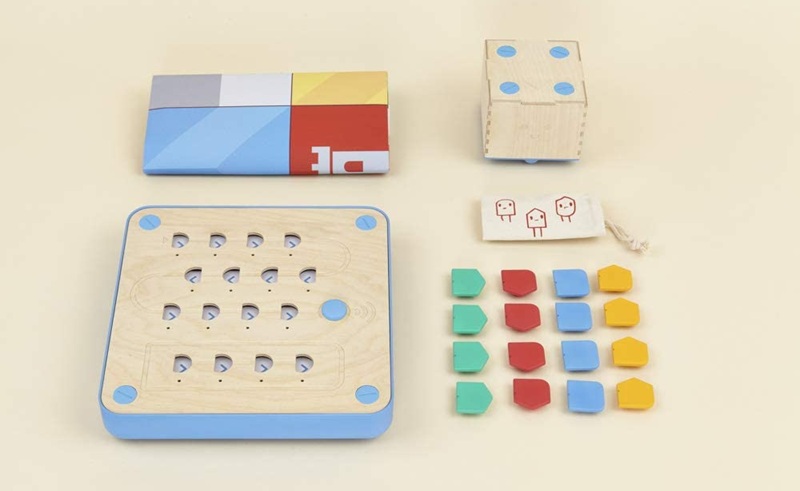
From 3 to 6 years old: starting without a screen
For nursery and kindergarten students, the priority is to understand basic concepts: giving instructions in a precise order, anticipating a movement, finding one's way in space and correcting an error.
At this age, a screen-free robot is often the simplest choice. Children can manipulate cards, buttons, programming pieces or physical elements before using a tablet or computer.
Cubetto Plus is designed to introduce children to the first concepts of coding in a concrete way. Children prepare a sequence using blocks and then observe the robot moving across its play surface.
This approach makes it possible to work on logic without starting with the syntax of a programming language. It is also suitable for classrooms with limited access to computers or schools that want to reduce screen time.
From 5 to 8 years old: discovering sequences and loops
In primary school, students can gradually work on instruction sequences, movements, repetitions, simple conditional commands and spatial orientation.
Ozobot robots can be particularly useful at this stage. Depending on the model and activity, students can use colour codes drawn on paper or move on to a visual programming environment.
This dual approach makes progression easier. Students can begin by drawing a line and using colours to change the robot's behaviour before gradually moving to screen-based programming.
Learning through trial and error is particularly suitable for children discovering coding. They can quickly obtain a visible result without having to understand all the rules of a programming language straight away.
From 7 to 11 years old: programming and building
From the later years of primary school, students can take part in longer and more structured activities:
- programming a complex route;
- using loops and conditions;
- working with sensors;
- building a mechanism;
- measuring and comparing results;
- documenting their approach.
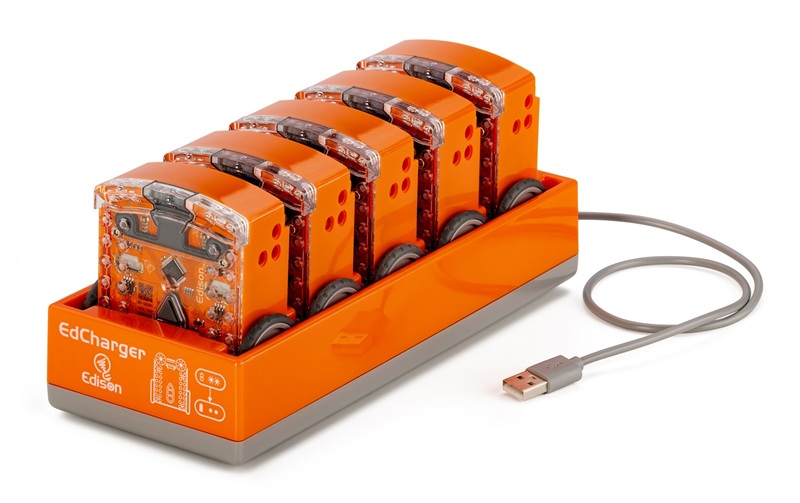
Edison robots can support this type of activity. They offer a progression from first commands to route challenges and more advanced projects.
At this stage, it is important not to choose a robot simply because it offers a large number of features. A model that is too complex can slow down the first session. It is better to choose a robot that allows students to start quickly and then gradually introduce new challenges.
From 8 to 12 years old: going further with blocks
Students who have already learned the basics of coding can use a more comprehensive visual environment, often based on programming blocks.
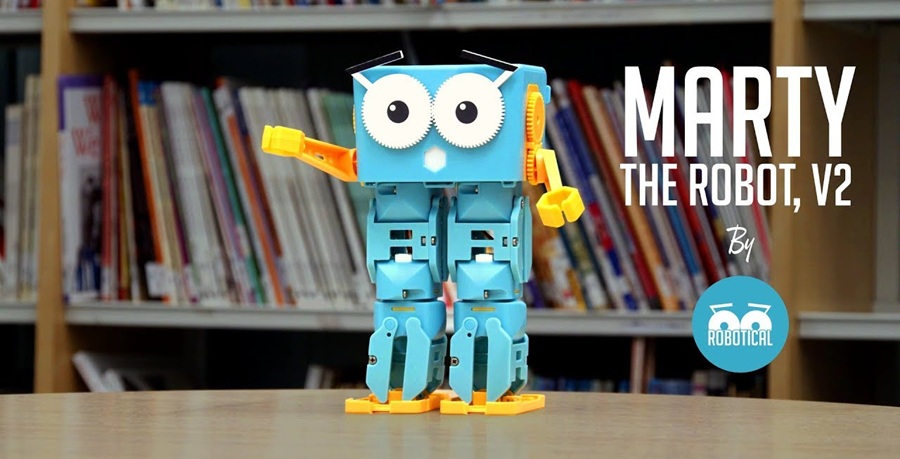
Marty the Robot offers a progressive approach to programming. This bipedal robot can walk, dance, move its arms and react to its surroundings. Its movements make it possible to imagine projects involving storytelling, dance, languages or physical expression.
This expressive dimension can help involve students who are not naturally attracted to programming activities. The robot becomes a character or a project tool, rather than simply a machine to move around.
From 11 or 12 years old: text-based programming and robotics
In middle and high school, students can gradually move from block-based programming to a text-based language such as Python.
The objective is not necessarily to ask students to write complex programs immediately. Instead, they can learn how a robot uses motors, sensors, variables, conditions and data collected from its environment.
Marty can evolve in this direction. It can serve as a platform for more advanced projects, provided that the activities are adapted to the class level and students receive sufficient guidance.
Criteria to check before buying
The number of students
A single robot can be suitable for a demonstration, but it limits the participation of an entire class. In a group of 25 students, some may spend more time waiting for their turn than programming.
For regular use, it is often better to work in small groups. Depending on the robot, one group can be responsible for programming, another for building the route, another for observing the results and another for presenting the solution.
The number of robots should therefore be determined according to the teaching method. A classroom kit is not just a collection of robots: it should also include the accessories, cables, activity resources and necessary spare parts.
Ease of use
A robot can be very powerful and still be poorly suited to a first lesson. Before buying, check:
- how long it takes to get started;
- how simple the connection process is;
- which application is required;
- whether tutorials are available;
- whether ready-to-use lessons are provided;
- whether the robot can be reset quickly;
- how easy it is to recharge.
This criterion is important for teachers. An activity requiring a lengthy setup can be difficult to fit into a 45-minute or one-hour lesson.
Available programming options
Educational robots do not all offer the same programming level. You should distinguish between:
- button-based programming;
- coding cards;
- colour codes;
- visual blocks;
- Scratch or a similar environment;
- Python;
- more advanced languages and tools.
The choice should match the school's objective. Python is not necessary for a kindergarten class. For a high-school project, however, a robot limited to a few commands can quickly become frustrating.
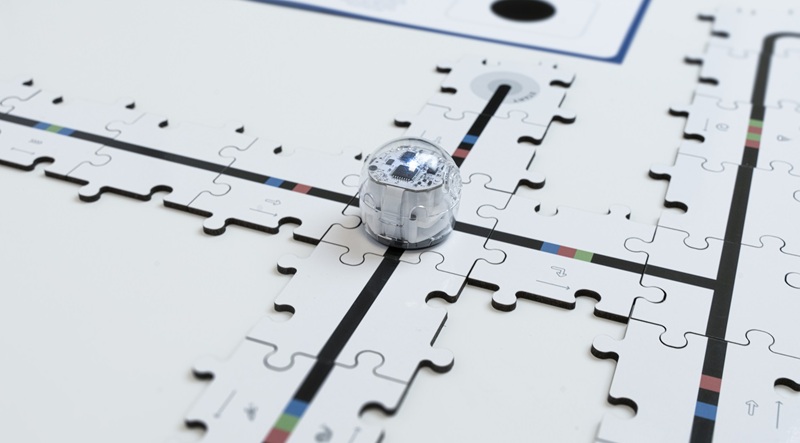
Screen-based or screen-free use
The absence of a screen can be an advantage for younger students and for introductory logic activities. Students manipulate instructions and immediately see the result.
A screen becomes useful for creating longer programs, using loops and conditions, saving students' work and analysing errors.
A robot offering several programming modes can therefore support a longer learning progression. Ozobot robots, for example, allow students to start with colour codes on paper before moving on to more detailed programs.
Sensors and extensions
A robot that moves forward and turns is enough for an initial introduction. For more advanced projects, sensors open up many more possibilities.
Students can learn to detect an obstacle, follow a line, measure a distance, react to light or change the robot's behaviour according to its surroundings.
Extensions are also important for middle and high school. The possibility of adding a board, sensor or external module can extend the robot's educational lifespan.
Durability and maintenance
In a classroom, equipment is handled by many students. It must withstand frequent connections, movement and occasional mistakes.
Check the robustness of the chassis, the availability of spare parts, battery replacement, ease of cleaning and whether individual accessories can be purchased separately.
A less spectacular but easily maintained robot may be more useful to a school than a complex model whose replacement parts are difficult to obtain.
Which robot is right for your classroom?
| Classroom need | Recommended robot type | Example activity |
|---|---|---|
| Discover logic without a screen | Robot with cards or physical controls | Programming a route on a mat |
| Learn the first sequences | Small robot using colour codes | Following a line and changing direction |
| Discover Scratch or Blockly | Block-programmable robot | Creating a route with loops and conditions |
| Work with sensors | Programmable mobile robot | Reacting to obstacles or light |
| Develop Python skills | Expandable robotics platform | Controlling motors, sensors and behaviours |
Examples of classroom activities
The coding route
Students must program a robot to travel from a starting point to a destination. They begin by drawing the route or building it with materials available in the classroom.
They then write a sequence of instructions before testing the program. This activity introduces instruction order, orientation, distances, anticipation and error correction.
To increase the difficulty, the teacher can add obstacles or ask students to find the shortest program.
The reacting robot
Students program the robot to adopt different behaviours depending on what it detects. It may stop in front of an obstacle, turn when a sensor detects a line or make a sound when it reaches a specific area.
This activity introduces conditions and sensors. It moves students from a completely predictable program to behaviour that depends on the environment.
Tell a story
A robot can become a character. Students write a short story and program its movements or reactions.
The project can include writing, reading aloud, creating a setting, programming movements, sounds or expressions. This approach shows that robotics is not limited to mathematics and technology.
Correct a program
The teacher provides an intentionally imperfect program. Students must identify the error, predict the robot's behaviour and then propose a correction.
This method gives value to debugging. An error is no longer a failure: it becomes a normal stage in the design process.
Should you choose a connected robot?
A connected robot can offer a richer application, updates and online teaching resources. It may also require a tablet, computer, Bluetooth connection or user account.
Before equipping a classroom, check:
- whether an Internet connection is required;
- whether each student needs to create an account;
- which data is collected;
- whether the application works on the school's equipment;
- whether the robot can be used offline;
- whether updates remain compatible with older models.
Ease of management is an important criterion for a school. The faster the setup, the more time the teacher can devote to learning rather than configuring the equipment.
Which solution should you choose for the 2026 back-to-school season?
For a kindergarten class, choose a screen-free robot that is robust and very easy to use. The objective is to help children understand sequences, movements and the relationship between an instruction and a result.
For primary school, choose a robot that allows students to start quickly and then progress towards colour codes, block programming, loops and conditions. Ozobot and Edison can be considered depending on the teacher's project.
For middle school, look for a programmable robot with sensors and a sufficiently comprehensive visual programming environment. It should allow students to build longer programs and work on group challenges.
For high school, choose an expandable platform compatible with Python, hardware extensions and more independent projects. The robot should support learning in programming, electronics and robotics.
Finally, for a school wishing to equip several age groups, a progressive solution is often preferable to several completely different robots. Teachers can then build on resources, accessories and methods they already know.
Need to equip a classroom?
Explore our selection of educational robots and choose equipment suited to your project.
Discover educational robots →Frequently asked questions
What is the best educational robot for a classroom?
The best robot depends on the students' age and the educational project. For younger children, a screen-free robot is often simpler. For middle and high school, choose a programmable robot with sensors and several programming levels.
How many robots are needed for a class?
There is no universal number. To encourage group work, several robots are generally more effective than one. The number should be defined according to the class size, lesson duration and type of activity.
Can an educational robot be used without a computer?
Yes. Some robots are designed to work with cards, buttons or colour codes. This approach allows students to discover the first programming concepts without using a computer.
Can an educational robot be used across different subjects?
Yes. Robotics can be integrated into mathematics, science, technology, writing, languages and the arts. A robot can be used to represent a story, follow a geometric route or simulate an automated system.
Should you choose a robot with artificial intelligence?
Not necessarily. A standard programmable robot is often enough to teach the basics of logic and programming. AI becomes relevant when the objective is to study image recognition, voice, data or machine learning.
In summary
When choosing an educational robot for a classroom, do not start with the most impressive technology. Start with the learning objective.
A good robot should be simple enough to use quickly but expandable enough to support new projects. It should also be suited to the school's equipment, the time available and the number of students.
For the 2026 back-to-school season, the choice can be summarised as follows: screen-free robots to discover logic, visual programming to build the foundations, sensors and extensions for experimentation, and Python for more advanced projects.
You can also read our article about the Robotical back-to-school offer: get 10 Cogs free when purchasing 10 Marty V2 robots.